Introducing Workflow Overview, Track Who Runs Your Shortcuts, Extract the Provider from Waterfalls and New Data Providers PredictLeads, GetLeads and LeadIQ
Building a workflow is fast. Understanding one was still slow. Now every workflow has an Overview with a summary and a diagram of every sheet and step. This release also brings tracking for who runs your Shortcuts, GetLeads, PredictLeads and LeadIQ as data providers and extracting the provider name in waterfall runs.
Platform Features
4Introducing Workflow Overview: Visualize Your Workflow as a Diagram
Building a workflow is fast. Your agent does it in minutes. Understanding one was still slow, because you had to open every action in every sheet. Now the Overview tab does that for you. It gives you a summary of the workflow and a diagram of every sheet and step.
Here is how it works:
-
Open a workflow and click the Overview tab. It sits left of Main Sheet.
-
Click Generate overview. It takes about 30 seconds.
-
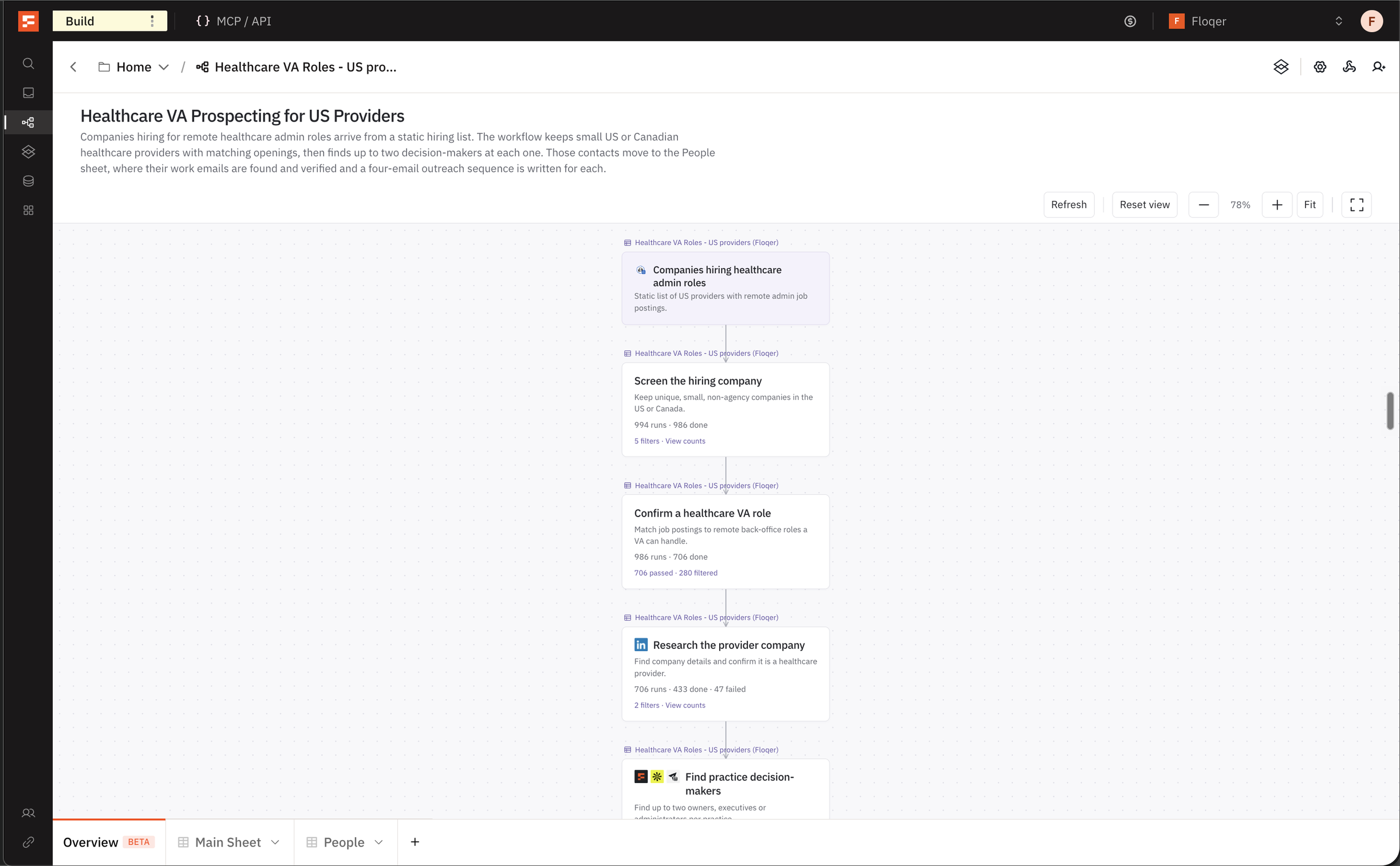
The diagram shows each sheet and the steps in it. Each card shows how many rows ran, finished, failed or are still running.
-
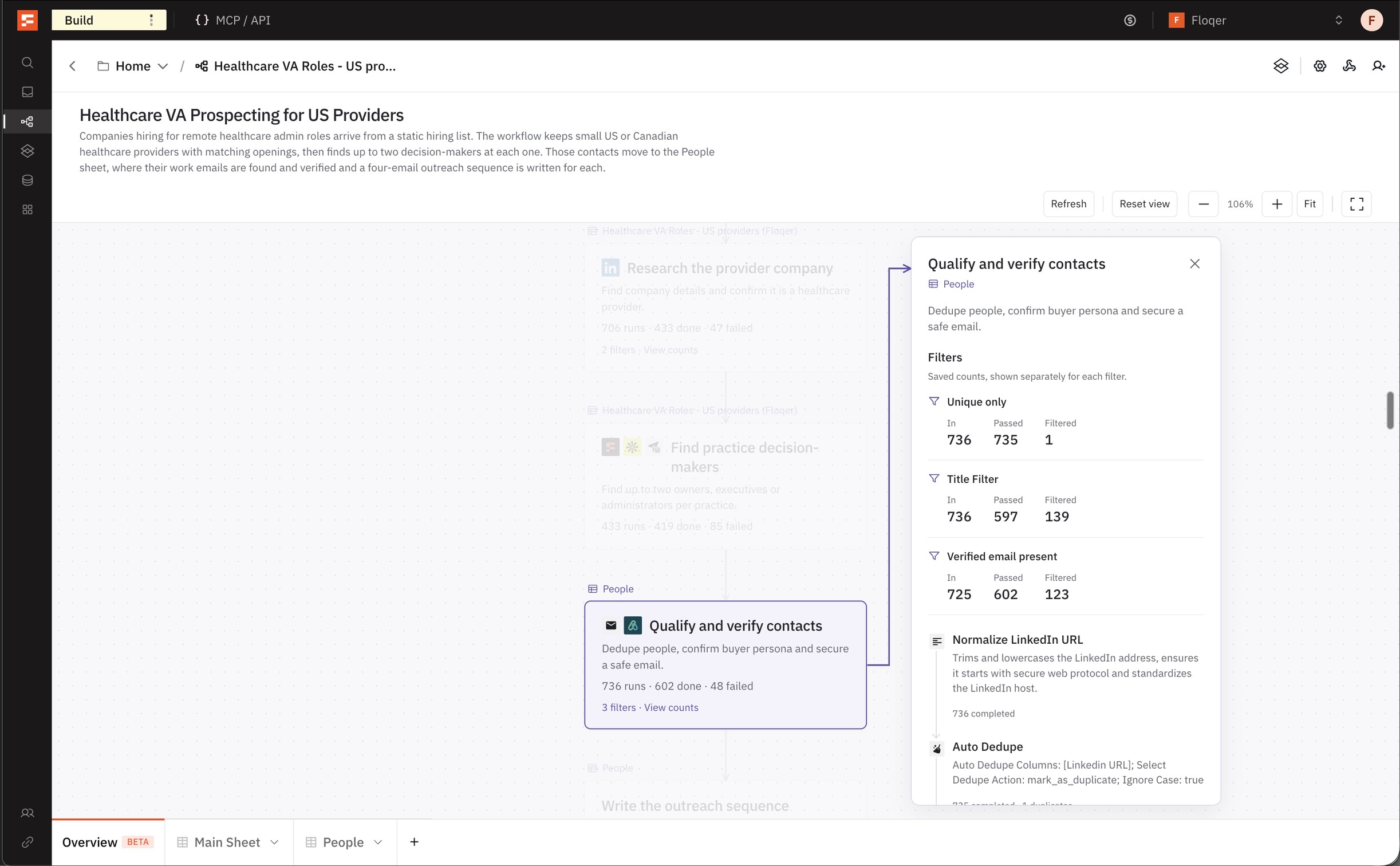
Click a card to see the steps behind it.
-
The overview shows Out of date after you change the workflow. Click Refresh to update it.
Generating an overview costs no credits.
You can also do this headlessly from the API.
-
Track Who Runs Your Shortcuts
Until today, there was no way to know who ran a shared Shortcut. Now every run records the member who ran it. This enables you to track who on your team uses a Shortcut and how many credits they spend.
Here is how it works:
-
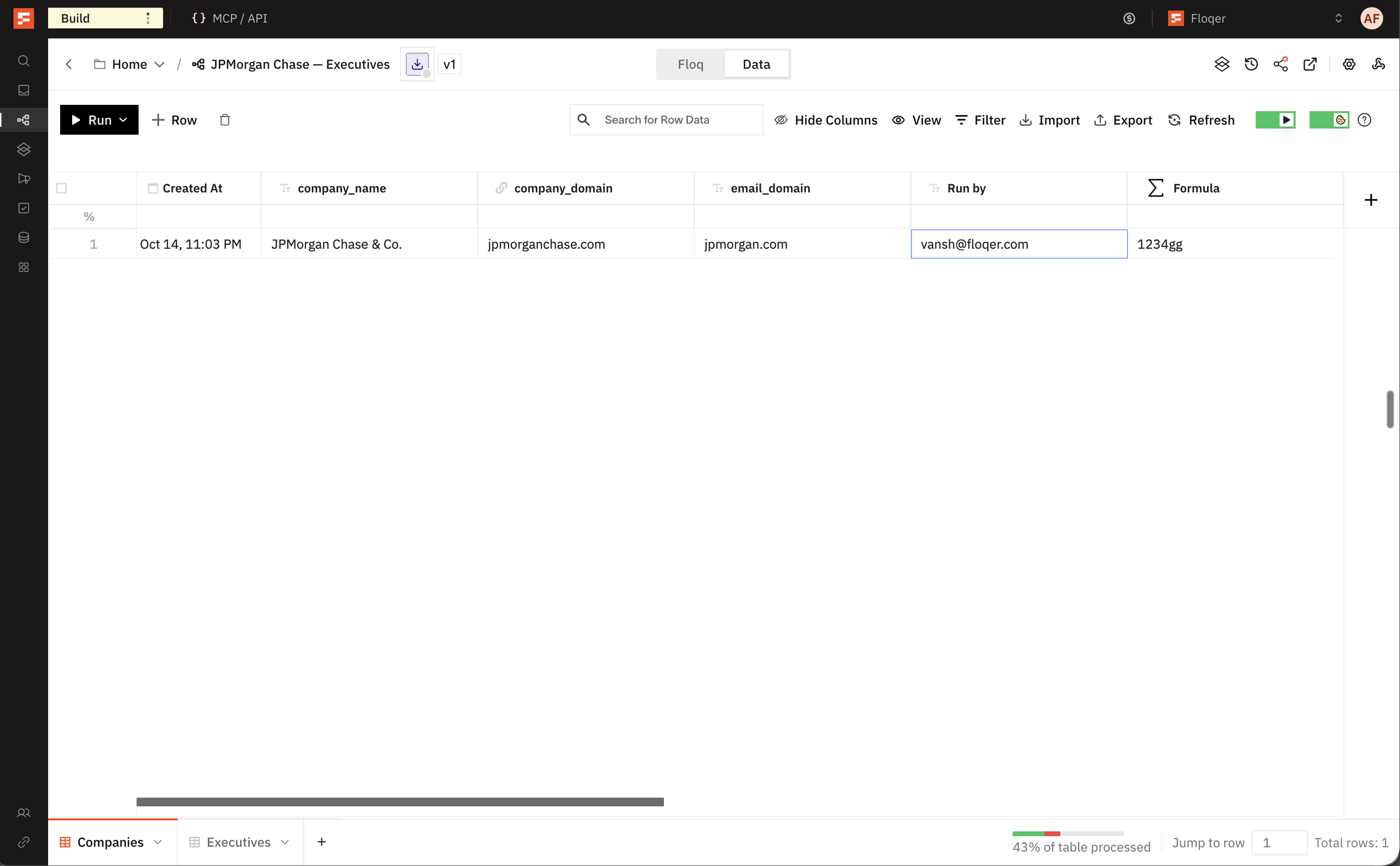
Publish your Shortcut. Publishing adds a Run by column to the Shortcut's workflow table.
-
Each run fills Run by with the email of the member who ran it.
-
You can use Run by as a variable in downstream actions.
-
Runs from MCP and the API show the member who owns the API key.
-
The credits a run spends now show under that member. Admins see this under Insights → Users on the Usage and Plan page.
Note
A Shortcut you already published gets the column when you publish it again. Earlier runs stay blank.
-
Send Data to Any Sheet in Another Workflow
Until today, Send data to another Floq could only send rows to a workflow's main sheet. Now you can pick any sheet in that workflow.
Here is how it works:
-
Add Send data to another Floq to your workflow.
-
Under Choose or create a new workflow, pick a sheet. Each workflow lists its sheets under it.
-
Under Choose columns to send to, map your values to that sheet's input columns.
-
Run the action. The rows land in the sheet you picked.
You can also do this headlessly from MCP, APIs or any agentic platform.
API reference: Add Action, Configure Action
-
Waterfalls Now Let You Extract the Provider That Found the Result
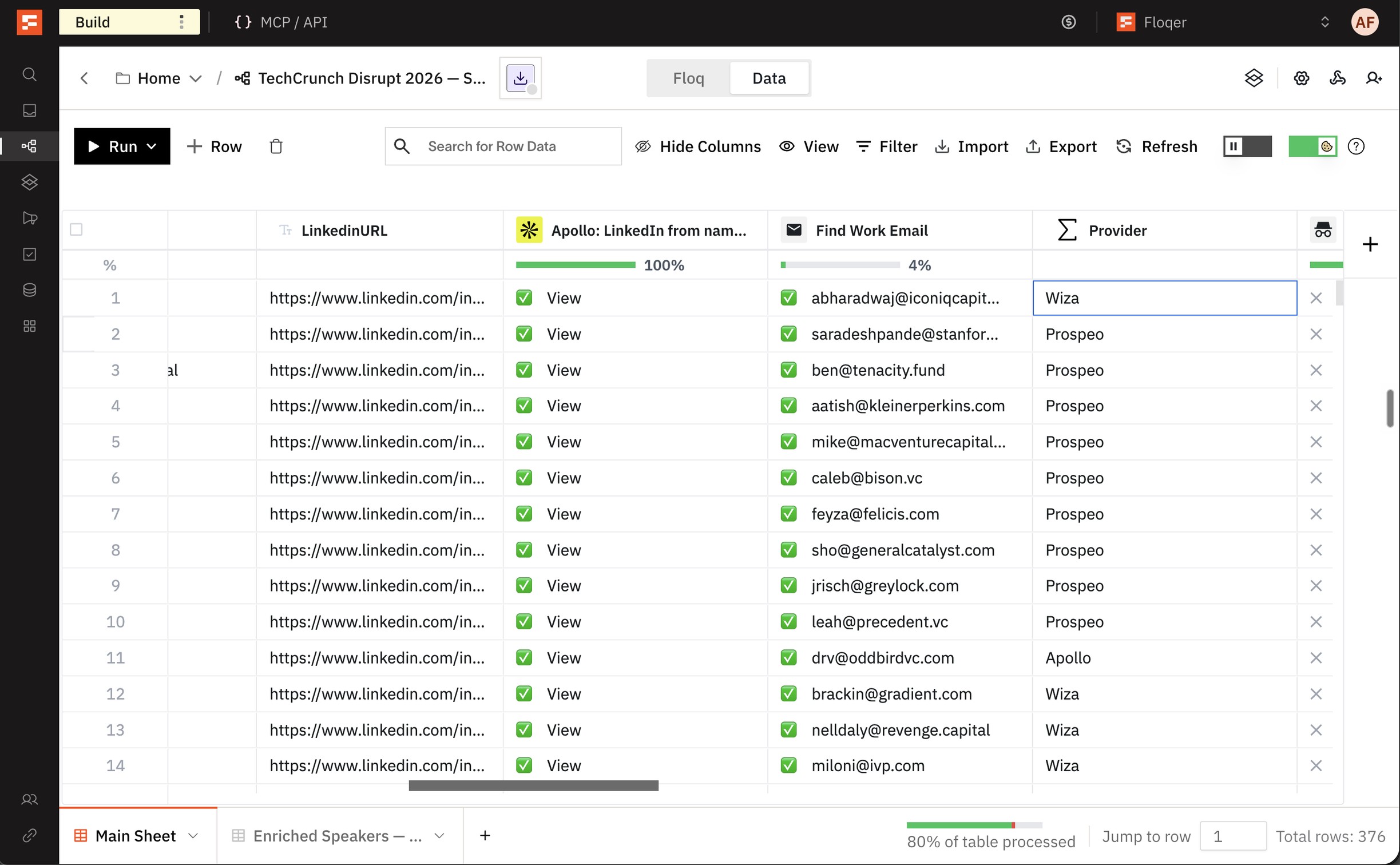
Until today, a waterfall gave you the email or phone number without the provider that found it. Now every email and phone waterfall has a Provider output. This enables you to see which providers found the most results for your data.
Here is how you get the provider:
-
Open any waterfall and click Edit columns.
-
Under Add data as columns to your table, search for Provider.
-
Click + Add Column.
-
Run the action. The new column shows the name of the provider that found the email or phone number.
-
Data & Integrations
5Introducing GetLeads in Floqer
GetLeads is a B2B database of people and companies. We built two native GetLeads actions.
GetLeads: Person Enrich
This action fills in a person's details.
-
Map Person LinkedIn URL. You can map First Name, Last Name and Company Name instead.
-
Each row gets the work email, mobile phone, current title and company.
-
It costs 1 credit.
GetLeads: Company Enrich
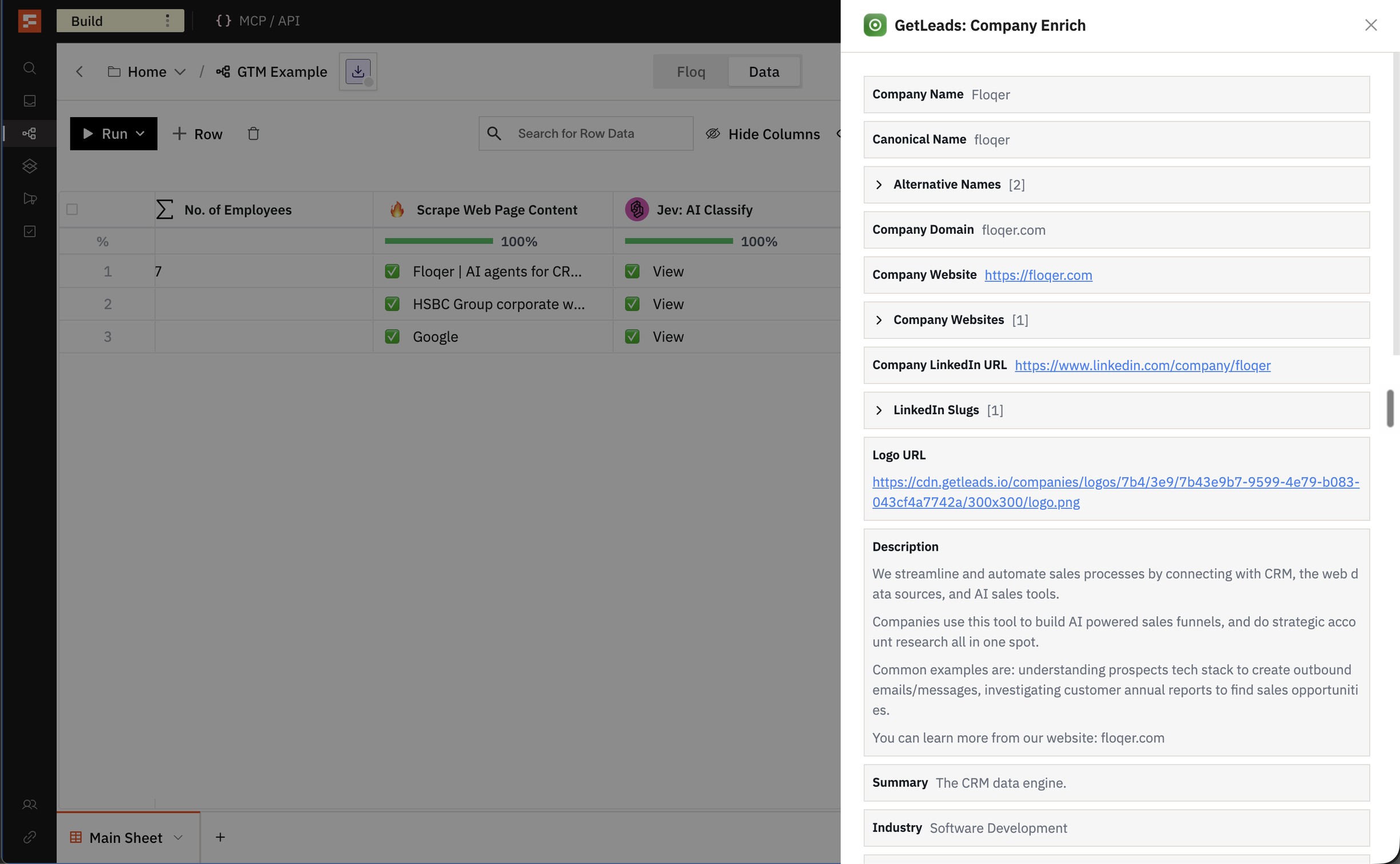
This action fills in a company's details.
-
Map Company LinkedIn URL.
-
Each row gets the employee count, revenue range, tech stack and funding.
-
It costs 1 credit.
You can also do this headlessly from MCP, APIs or any agentic platform.
-
Find Lookalike Companies with PredictLeads
PredictLeads is a company intelligence provider with company records and similar-company data. Our users asked for its lookalikes, so we built two native PredictLeads actions.
PredictLeads: Lookalike Companies
This action finds companies similar to one you already have.
-
Map Company Domain.
-
Set Max Results from 1 to 10. The default is 3.
-
Each company comes with a Similarity Score and the Reason it matched.
-
It costs 1 credit per company returned.
PredictLeads: Company Enrich
This action fills in a company's details.
- Map Company Domain.
- Each row gets the industry, employee range, revenue range and last funding round.
- It costs 2 credits.
You can also do this headlessly from MCP, APIs or any agentic platform.
-
Enrich People and Companies with Your LeadIQ Account
LeadIQ is a B2B prospecting platform with contact and company data. We built two native LeadIQ actions.
Here is how you set it up:
-
Go to Connections, select LeadIQ and paste your API key.
-
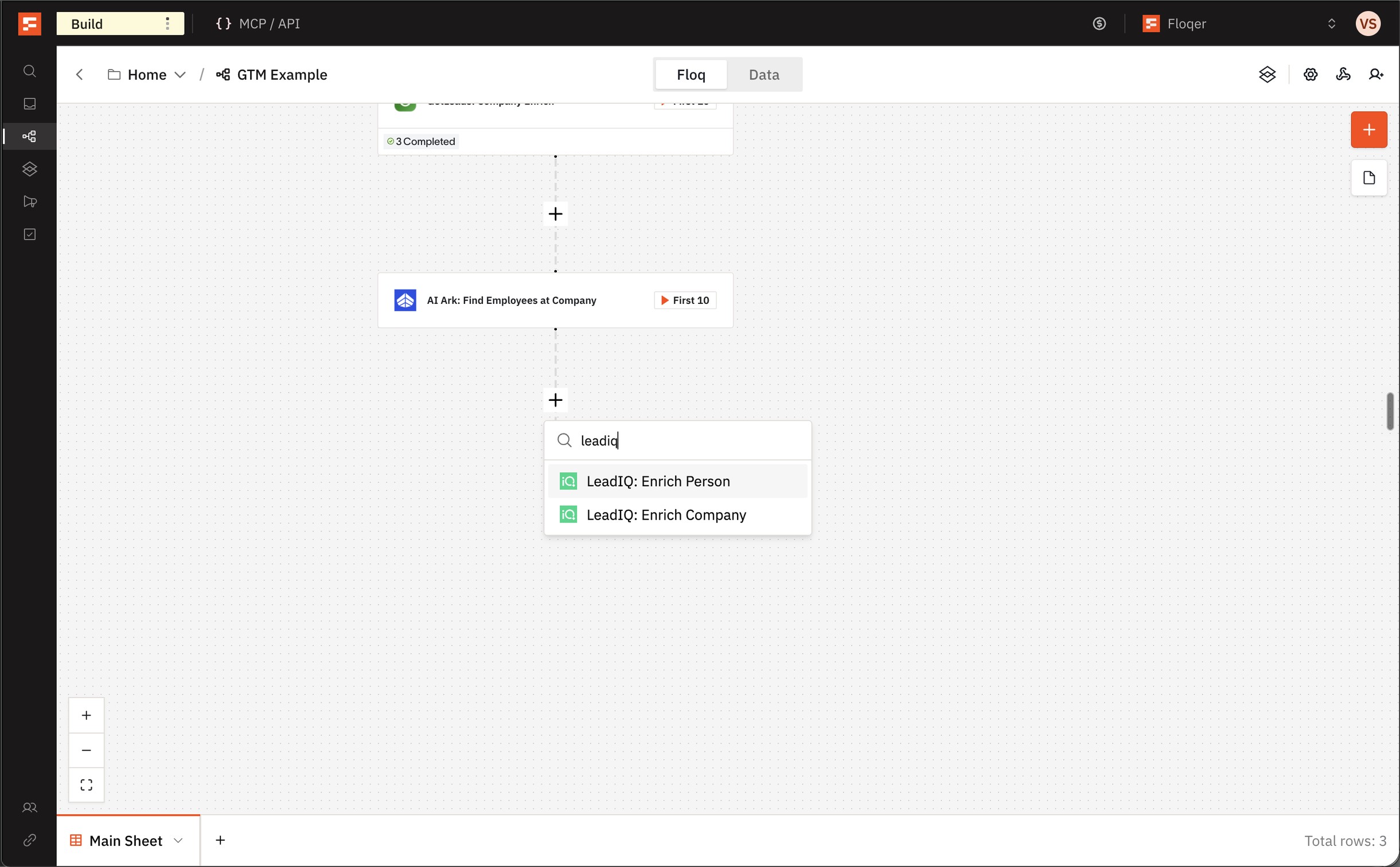
Add LeadIQ: Enrich Person and map LinkedIn URL. Turn on the data you want, such as Include work email or Include personal phone.
-
Add LeadIQ: Enrich Company and map Company LinkedIn URL or Company domain.
Both actions cost no Floqer credits. LeadIQ charges your LeadIQ account for the data you turn on.
You can also do this headlessly from MCP, APIs or any agentic platform.
-
New Action: Apollo: Company Enrich
You can now enrich a company with Apollo's data. Add Apollo: Company Enrich and map Company Domain or Company LinkedIn URL. Each row gets the industry, employee count, revenue, funding and technologies. It costs 1 credit.
You can also do this headlessly from MCP, APIs or any agentic platform.
School Pages Now Supported in Scrape Company LinkedIn Profile
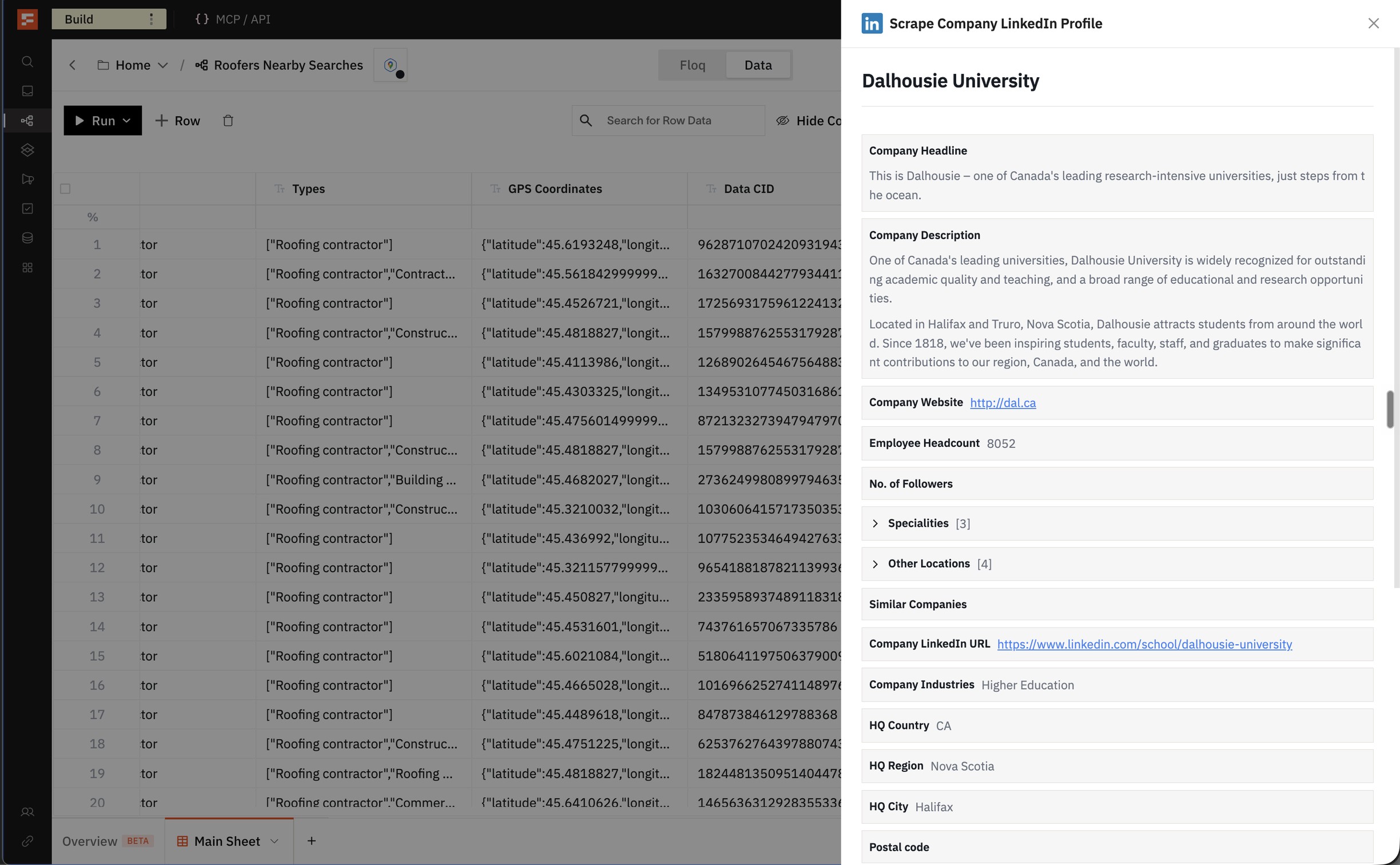
Scrape Company LinkedIn Profile now works with school pages on every provider. Map the school's LinkedIn URL into Company LinkedIn URL.
Agentic Building
1Admins Can Now List Every Workflow in the Organization Headlessly
Until today, there was no way for your agent to list every workflow in your organization. Now an Admin can ask for all of them. Set scope to org in List Workflows. Each workflow comes back with its owner's email.
You can do this headlessly from the API.
API reference: List Workflows
Improvements
3Invite Up to 20 Members on the Free Plan
We have increased the seat limit on all free plans from 5 → 20.
Improved Error Handling and Messages
Provider errors now come with clearer messages. You can see when a provider hit a rate limit, was out of service or rejected the input. Waterfalls show better error messages for each provider.
Improved Variable Handling in HTTP API Call
Until today, a variable in the JSON body of HTTP API Call had to sit inside quotes. Now it works with or without them. A variable that holds JSON is sent as JSON.
Bug Fixes
5-
Signup and login have improved reliability at the email step.
-
Snowflake actions have better status reporting when the connection cannot sign in.
-
Salesforce lookups now treat an empty value from an earlier action as empty.
-
Salesfinity has improved reliability when adding contacts.
-
Column names let you select text by dragging while you rename.