Find and Verify Work Emails in One Waterfall, Google Sign-In, Cheaper Email and Phone Lookups and Increased Rate Limits
Until today, email verification only went through one provider, causing bad emails and bounces in your data. Now verification runs as a waterfall across multiple providers. Every email you get back has been verified. This release also brings Google sign-in, cheaper email and phone lookups and 50,000 API requests a day.
Data & Integrations
3Find and Verify Work Emails in One Waterfall
Until today, a found email was verified with one provider only. If that check failed, the email still showed up in your data. Now every found email runs through a waterfall of verifiers until one confirms it. This enables you to send only to verified emails.
Here is how it works:
-
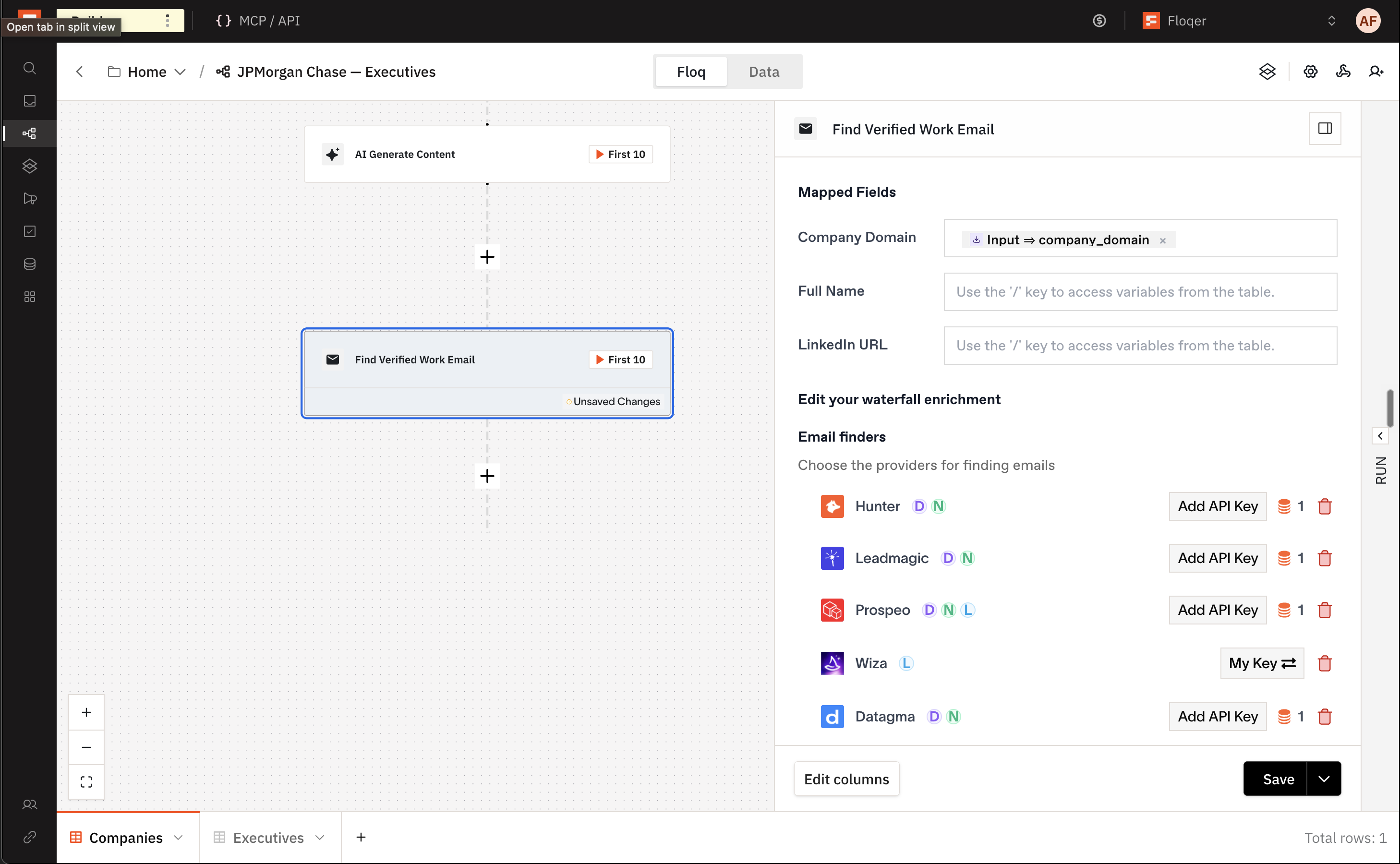
Add Find Verified Work Email and map Company Domain, Full Name or LinkedIn URL.
-
The Email finders list runs in your order. It has the same finders as Find Work Email.
-
Every email a finder returns goes to the Email verifiers list: ZeroBounce, MillionVerifier, NeverBounce, Allegrow and LeadMagic, in your order.

-
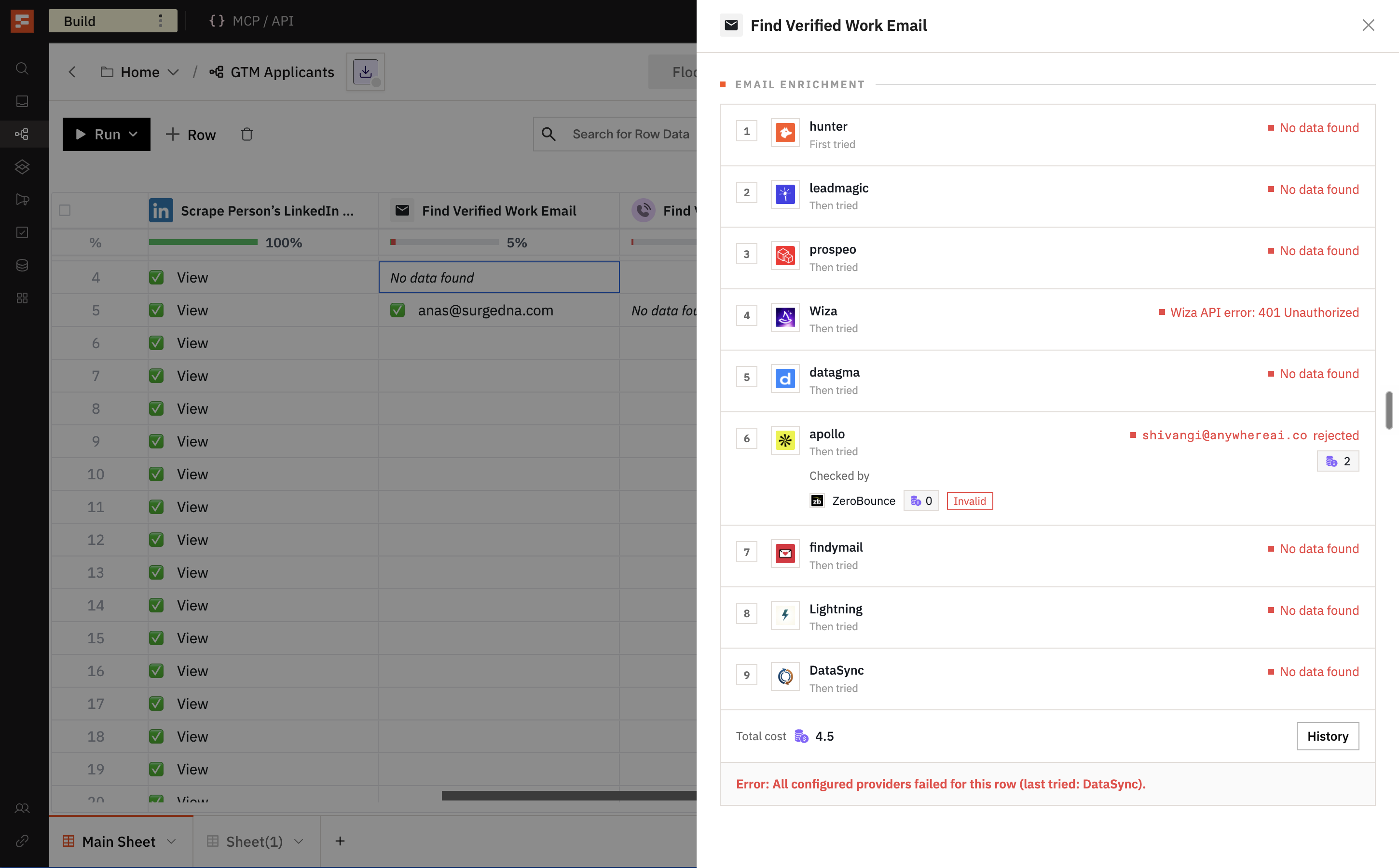
A good verdict keeps the email and ends the row. A bad verdict moves on to the next finder. An unsure verdict asks the next verifier.
-
The next finder runs when all verifiers are unsure. The row fails once all finders have been tried without a confirmed email.
-
An email that failed its checks earlier in the same row is not checked again when another finder returns it.
-
Each found email gets 200 seconds for its verifier checks. If every verifier errors, the row stops with an error and you can run it again later.
-
Remove every verifier and the action keeps the first email a finder returns, unchecked.
The result is a verified work email. It also shows which finder found it and what each verifier answered.
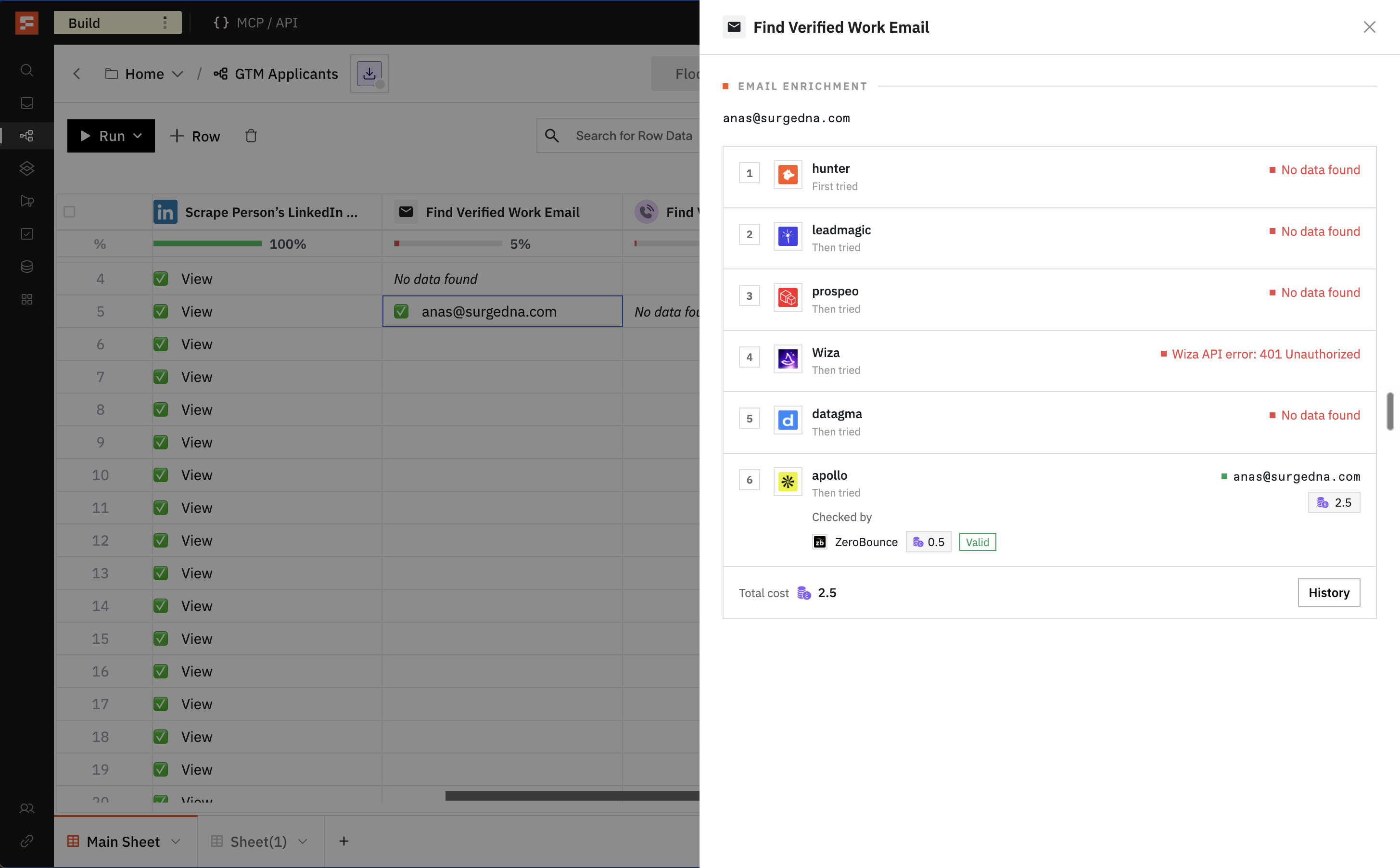
Each found email costs the finder's price. On top of that, every verifier check costs:
Verifier Credit Cost ZeroBounce 0.5 MillionVerifier 0.1 NeverBounce 1 Allegrow 0.1 LeadMagic 0.25 You can also add it headlessly from MCP, APIs or any agentic platform.
Note
Find Work Email is no longer offered when you add an action. Workflows that already use it keep running as before.
-
Cheaper Email and Phone Lookups
Email and phone lookups now cost fewer credits across Apollo, Findymail, Datagma, LeadMagic and Forager. The new prices apply to every workflow, including ones you built before.
Find Verified Work Email
Provider Previous Credit Cost Apollo 2.8 2 Findymail 2 1 Datagma 2 1 LeadMagic email check 1 0.25 Find Verified Phone Number using LinkedIn URL
Provider Previous Credit Cost Findymail 17 10 LeadMagic 8 5 Forager 25 20 Datagma 23 20 Find LinkedIn URL using Email
Provider Previous Credit Cost LeadMagic 10 8 Apollo actions
Action Previous Credit Cost Apollo: Find Employees at Company, per page 1.4 1 Apollo: Person Enrich, profile 1.4 1 Apollo: Person Enrich, work email 1.4 1 More Coverage and Fields in the Find Companies and Find People List Builders
Company and people lists now come with far more data. Each company has 70 fields and each person has 144. Both builders cover more companies and people, and a list can hold up to 100,000 records.
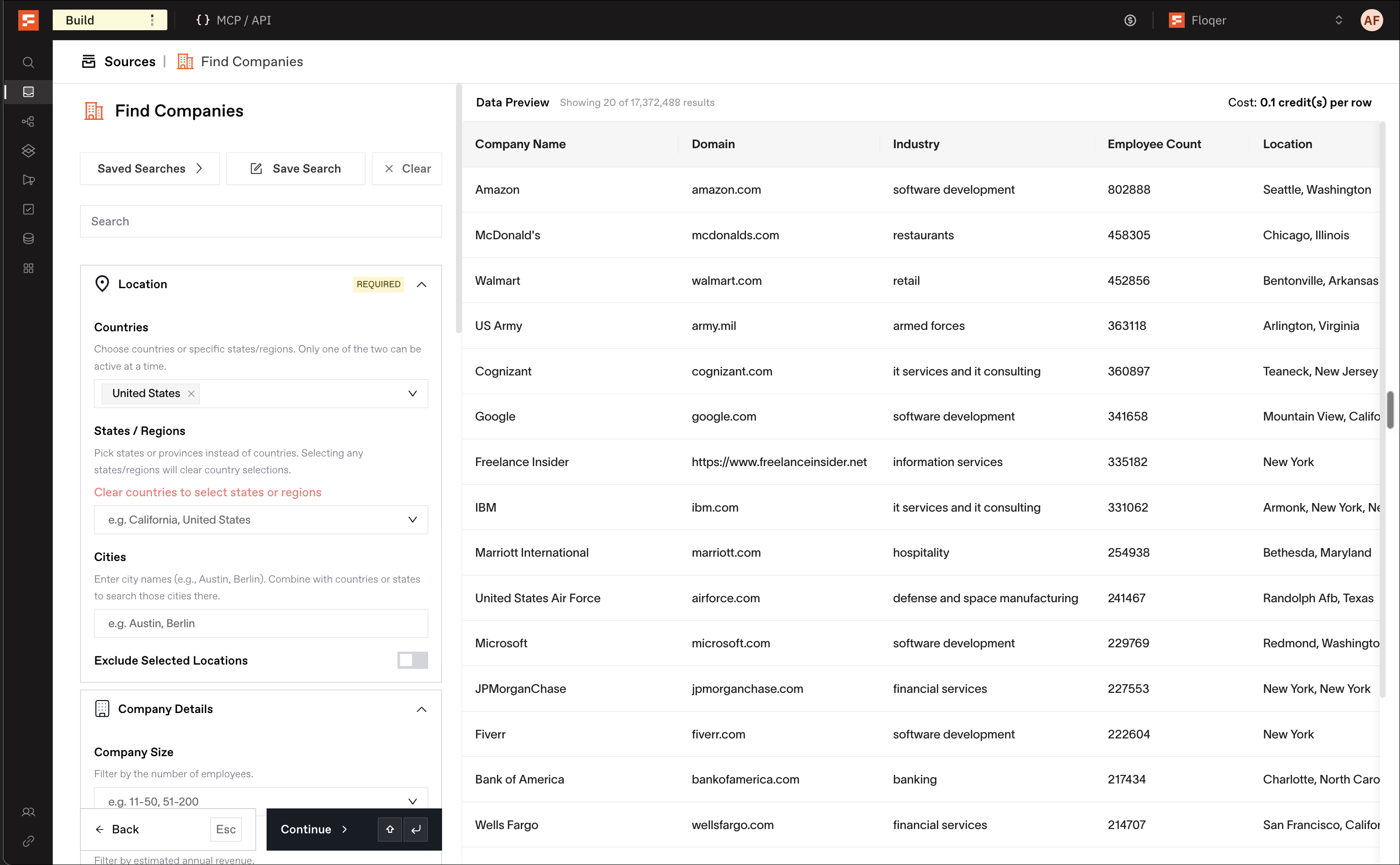
Find Companies has new filters:
- Industry is one list of 919 industries. It replaces the LinkedIn, Google and NAICS category pickers.
- Funding: the round types a company has raised, when its last round closed and the total raised.
- Headcount Growth: the departments to measure, whether they grew or shrank, the look-back window and the minimum change.
Find People can now exclude industries and locations.
Lists cost 0.1 credits per company and 0.5 credits per person.
Note
Tech Stack Categories and Company Events have been removed from Find Companies. A saved search that used them still loads and tells you what was dropped.
Platform Features
1Sign In with Google
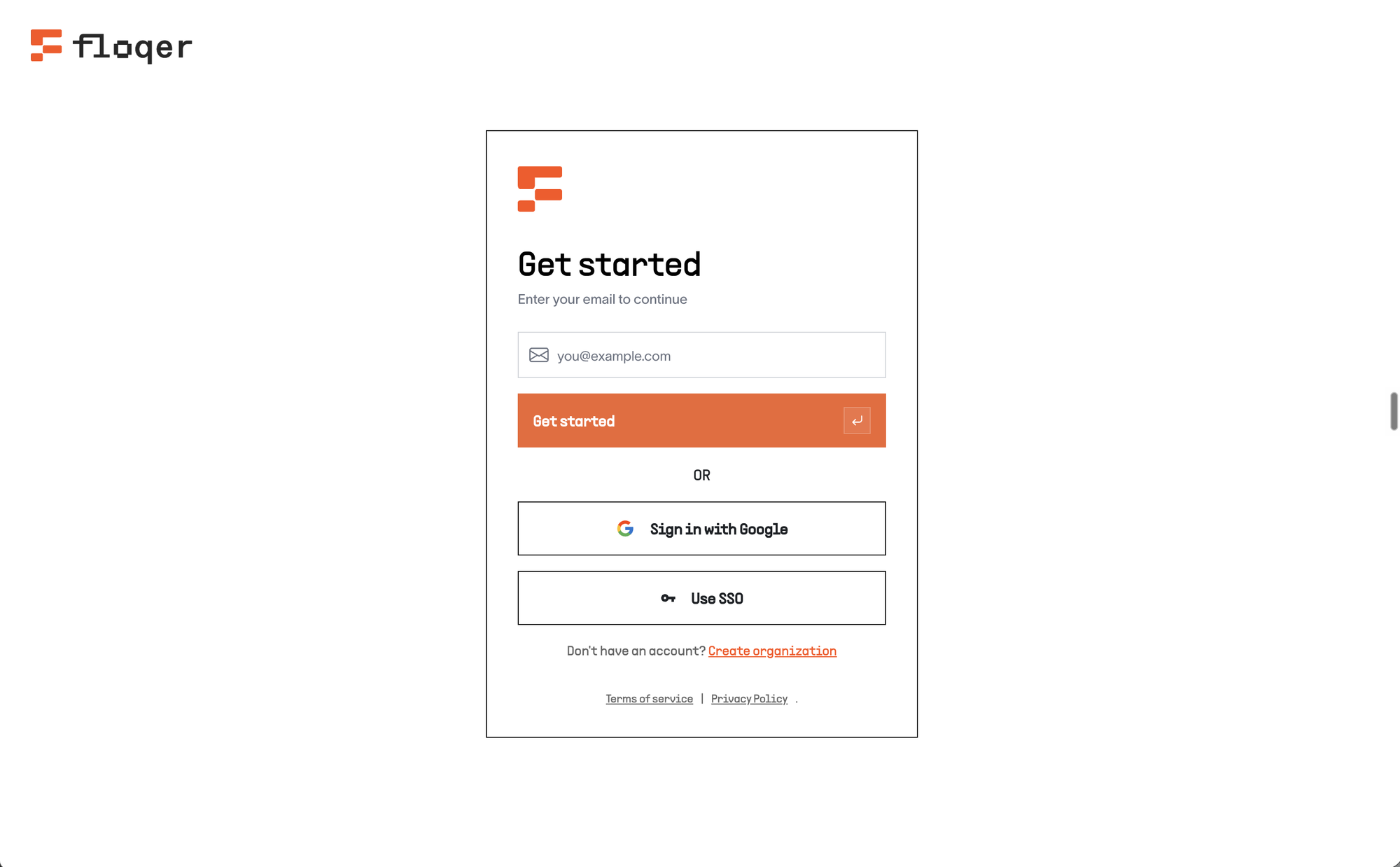
Introducing sign-in with Google. You can now sign up and log in with your Google account.
Here is how it works:
-
On the signup page, click Sign up with Google and pick your Google account. You then set up your organization as usual.
-
On the login page, click Sign in with Google and pick the same account.
Note
New to Floqer? Use the signup page first. SSO organizations keep logging in with SSO.
-
Agentic Building
350,000 API Requests a Day
Until today, you could only make 10,000 API requests a day. Now you can make 50,000. Existing keys get the new limit too.
MCP Connector Shows Only the Tools You Can Use
Until today, the Floqer MCP connector listed every tool, whatever your role. A User saw workflow tools it could not use. Now the connector lists only the tools and prompts your role can use.
Find HubSpot Lists With Names Instead of IDs Agentically
Until today, your agent needed a HubSpot list's ID to import it. Now you can ask for the list by name. The agent searches HubSpot for it and imports the match.
You can do this headlessly from MCP, APIs or any agentic platform.
API reference: Get Source Field Options, Create Source
Improvements
2Faster Shortcut Calls During Large Runs
Until today, a Shortcut called from a workflow waited in line with the rest of your organization's bulk work. During a large run, that wait could be long. Now a Shortcut call runs ahead of bulk work from start to finish. Cells you run by hand still go first.
Improved Lookups on Large Tables
Until today, running lookups on large tables would take a very long time or sometimes time out. Now they are up to 40 times faster. A result over 25 MB fails only that cell.
Note
A formula that read another lookup's output from inside a lookup record now gets nothing. Look that column up directly instead.
Bug Fixes
6-
Waterfalls in saved workflows skip providers that have been turned off and move on to the next one. A step with no provider left shows an error asking you to add a different one.
-
DataSync lookups retry on their own when the provider is rate limited or briefly down. You are charged once and the next action runs when the result is in.
-
AI actions show an error when the model provider is briefly unavailable, so the next action waits instead of running on an empty result.
-
Status badges on large workflows now load faster.
-
Floqer: Company Enrich cells show the company name, and Add column on it works.
-
Floqer Agent requests that add rows, run rows or export go through every time.