New Onboarding, New Way to Filter Your Data, Native ZoomInfo Integration, New Claude and GPT Models and New Data Providers Influencers Club, Bright Data and Coresignal
We rebuilt how you sign up and log in to Floqer. We also added a new way to filter your data, a native ZoomInfo integration and new Claude and GPT models. Influencers Club, Bright Data, Kitt AI, Coresignal, Enrow and Grain join as data providers. Work emails from Apollo and Wiza are now 2x cheaper. Your agents can now set sheet schedules, read full action outputs and track row deletions.
Platform Features
3The All New Onboarding
We rebuilt the way you sign up and log in to Floqer. The new onboarding connects your tools and gets you ready to build your first workflow within minutes. You can now sign up and log in with a code from your email.
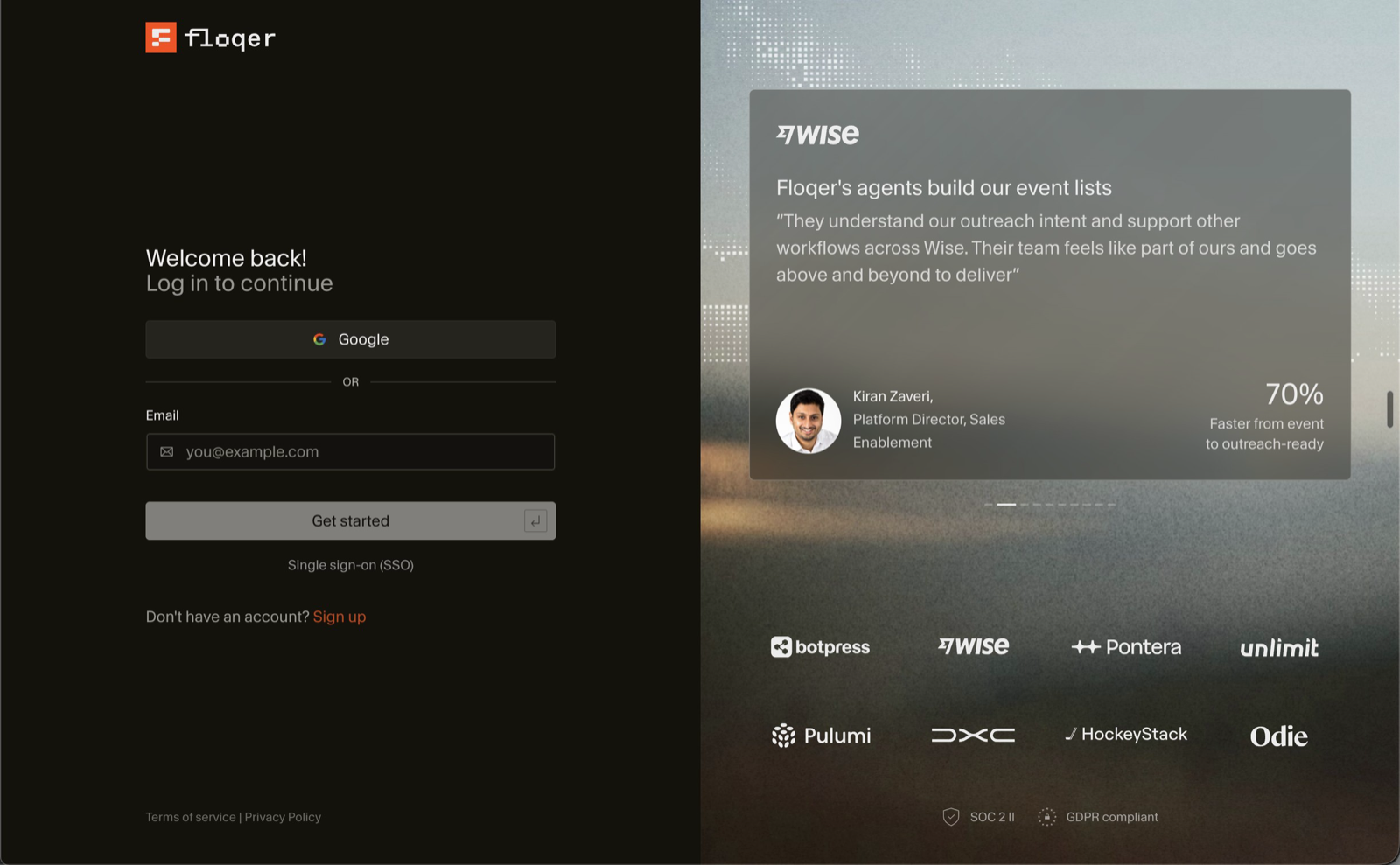
Here is how you set up your account:
-
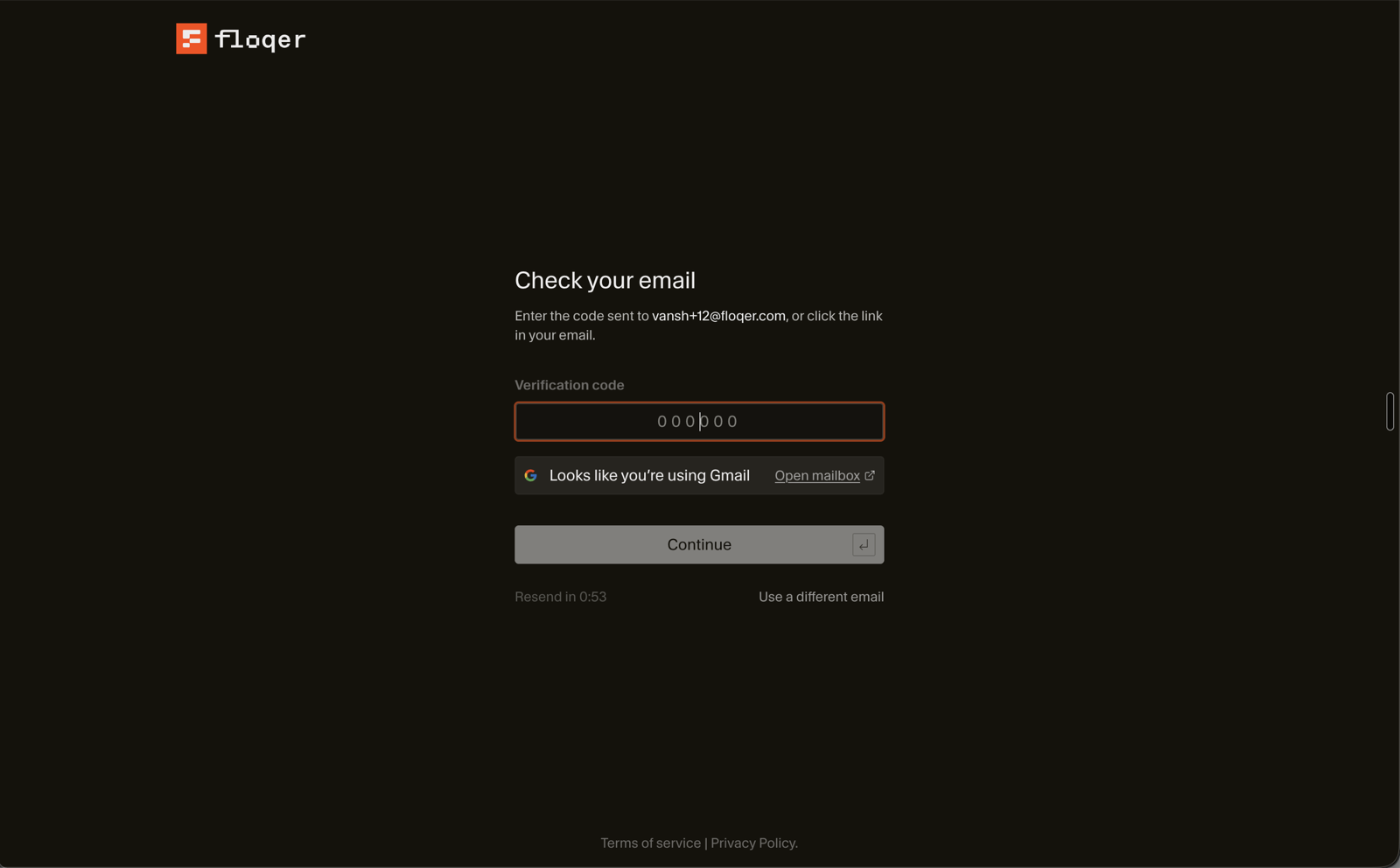
Sign up with a code
Sign up with your email or with Google. We send a six digit code to your email. Enter the code and create your password. Then enter your name, your Company name and your Company website.
-
Connect your CRM
Pick Salesforce, HubSpot or Attio and click Connect. Floqer imports a copy of your CRM and cleans it. Your CRM stays unchanged. It usually takes 24 to 48 hours.
-
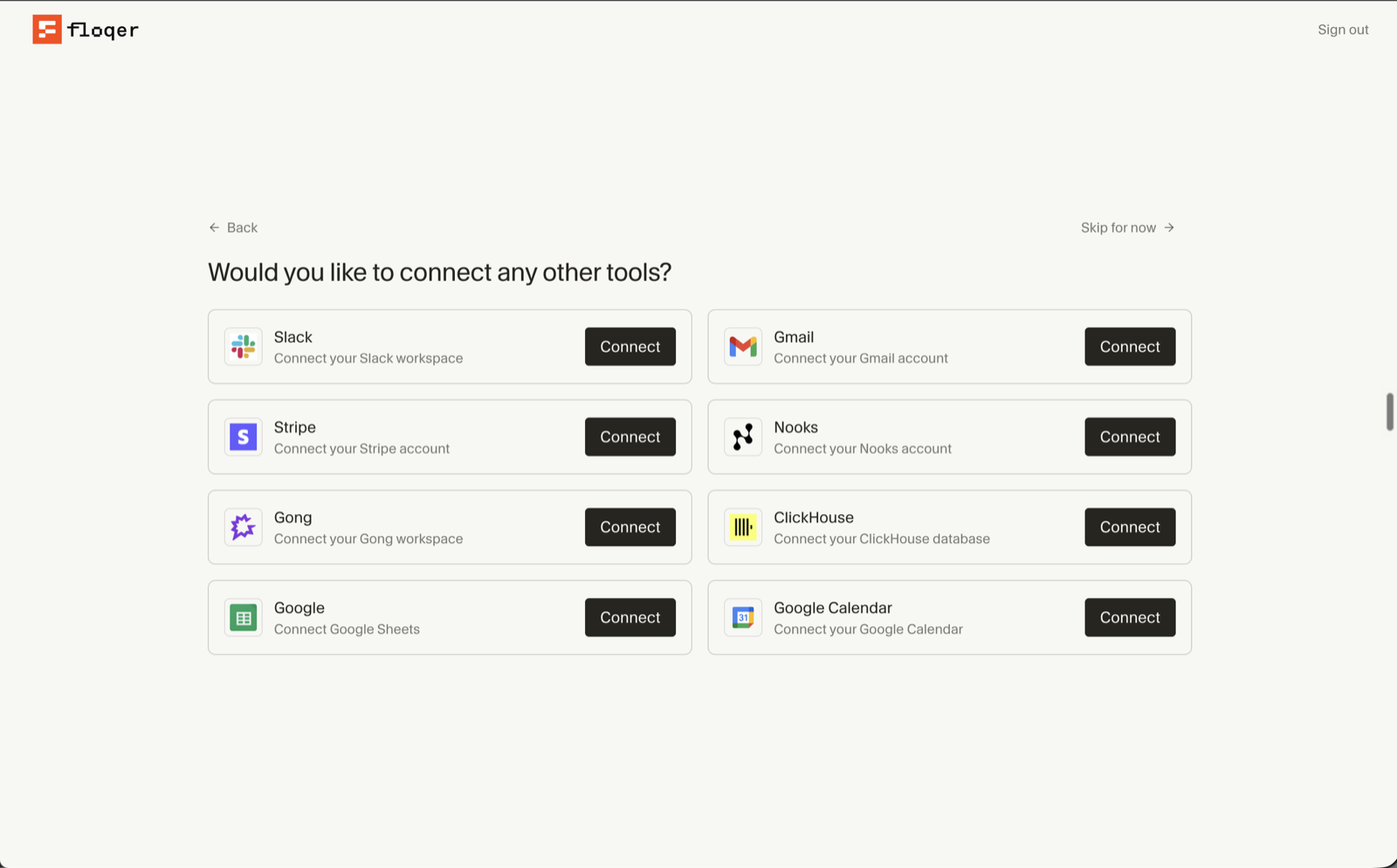
Connect your tools
Connect the other tools you use. You can pick Slack, Gmail, Stripe, Nooks, Gong, ClickHouse, Google Sheets and Google Calendar.
-
Start with your first workflow
Your workflows page now opens with a getting started screen. Click Create workflow to build your first workflow. Click Watch the walkthrough to see how it is done first.
You can click Skip for now on the CRM and the tools steps. You can connect them later from Connections.
Members you invite skip the CRM and the tools steps.
-
Introducing Passwordless Login
Until today, you needed your password to log in with your email. Now you can log in with a code from your email.
Enter your email and we send you a six digit code.
Click Use password instead to log in with your password.
New Way to Filter Your Data
Until today, you could only filter a workflow table for rows that met all your filters. Now you can filter for rows that meet any of them.
You choose between all and any next to matching:
- all shows the rows that meet all of your filters. The filters are joined with And.
- any shows the rows that meet at least one of your filters. The filters are joined with Or.
Say your filters are Country is United States and Job Title contains VP. all shows the VPs in the United States. any shows people in the United States and VPs from other countries too.
Here is how it works:
-
Add your filters to a workflow table.
-
Next to matching, switch all to any.
-
Click Apply Filters.
Saved views keep your choice.
You can also do this headlessly from the API.
Data & Integrations
9Native ZoomInfo Integration in Floqer
Until today, connecting ZoomInfo meant creating an app under your ZoomInfo account and adding your API keys in Floqer. We have now built a native ZoomInfo integration, so you can sign in directly with your ZoomInfo account.
Here is how you set it up:
-
Go to Connections and select ZoomInfo. The ZoomInfo Sign-in tab is already selected.
-
Turn on Enable for Org to share the connection with your organization.
-
Click Sign in with ZoomInfo and approve access in ZoomInfo.
Your OAuth App and Private Key connections keep working.
-
Introducing New Models for Web Agent and AI Generate Content
You can now pick these models in AI Generate Content and Web Agent.
Action Model Credit Cost AI Generate Content Claude Fable 5.2 20 Claude Sonnet 5.5 7.5 GPT 6.1 Terra 2.33 Claude Haiku 5.5 0.25 GLM 5.3 Flash 0.25 Web Agent GPT 6.1 Sol 6 GPT 6.1 Terra 3.5 GPT 6 Luna 1 Introducing Influencers Club in Floqer
Influencers Club is a database of 800 million creators with their emails, metrics and audience data. We built four native Influencers Club actions so you can enrich creators on Instagram, YouTube, TikTok, X and Twitch.
Here is how you set it up:
-
Go to Connections, select Influencers Club and paste your API key.
-
Add Influencers Club: Enrich Creator Profile and map Platform and Profile URL or handle. Each row gets the creator's email, followers and engagement rate.
-
Add Influencers Club: Find All Social Profiles to get a creator's accounts on other platforms.
-
Add Influencers Club: Find Lookalike Creators to find up to 20 similar creators. You can filter them by followers and engagement.
-
Add Influencers Club: Find Social Profile by Email and map Email to get the creator behind an email.
Here is what each action costs:
Action Credit Cost Influencers Club: Enrich Creator Profile 2 Influencers Club: Find All Social Profiles 4 Influencers Club: Find Lookalike Creators 2 Influencers Club: Find Social Profile by Email 2 You can also do this headlessly from MCP, APIs or any agentic platform.
-
New Action: Scrape with Bright Data
Bright Data is a web scraping platform that handles proxies, unblocking and retries for you. You can now run the scrapers you built in Bright Data from a workflow.
Here is how you set it up:
- Go to Connections, select Bright Data and paste your API key.
- Add Bright Data: Trigger Realtime Data Collector and pick your Collector ID. You can send inputs in Body. It returns a Response ID.
- Add Bright Data: Get Realtime Data Collector Results and map that Response ID. It returns the Status and the Data.
Data stays empty while Status is pending. Both actions cost no Floqer credits.
You can also do this headlessly from MCP, APIs or any agentic platform.
New Email Finder and Verifier: Kitt AI
Kitt AI is an email finder and verifier that can also verify catch-all emails. We added it to the Find Verified Work Email waterfall. You can pick it as an email finder and as an email verifier. Map Full Name and Company Domain to use it as a finder.
Finding an email costs 0.5 credits. Verifying an email costs 0.15 credits.
Enrich Companies and People with Coresignal
Coresignal is one of the leading providers of company, employee and job data. It is often compared with People Data Labs. Coresignal holds over 72 million company records and 921 million employee records. It combines multiple sources into one record for each company and each person. We built two native Coresignal actions so you can use that data in your workflows.
Coresignal: Company Enrich
This action fills in a company's details.
- Map Company Domain or Company LinkedIn URL.
- Each row gets the industry, employee count, headquarters and founded year.
Coresignal: Person Enrich
This action fills in a person's details.
- Map Person LinkedIn URL.
- Each row gets the current title, company, experience and education.
Both actions can also return extra sets of fields. You pick them under Extra Data Bundles.
Action Extra fields What you get Coresignal: Company Enrich Financial Information Revenue, funding rounds, IPO and acquisitions Growth Signals Headcount, hiring and web traffic trends by month Workforce Intelligence Key executives, tenure, salaries and employee reviews Company Intelligence Technologies used, competitors, news and job postings Coresignal: Person Enrich Employer Information The size, headquarters and funding of each employer Career Intelligence Tenure, promotion rate and projected salary Social Influence Posting activity, engagement and mentions The price depends on how many sets you pick.
Extra fields Credit Cost No extra fields 17 One extra set 23.8 All extra sets 34 You can also do this headlessly from MCP, APIs or any agentic platform.
Find Work Emails and Phone Numbers with Enrow
Enrow finds and verifies contact data in real time. It can also verify catch-all emails. We added it to the Find Verified Work Email and Find Verified Phone Number using LinkedIn URL waterfalls so you can use it as an email finder, an email verifier and a phone finder.
Go to Connections, select Enrow and paste your API key to use it. It costs no Floqer credits.
Bring Your Grain Meetings into Floqer
Grain is an AI notetaker for your meetings. Floqer already imports your meetings from Fireflies. Now you can import them from Grain with a native Grain Source.
Here is how you set it up:
-
Go to Connections, select Grain and paste your API token. You create one in Grain under Settings > Integrations > API.
-
Create a Grain Source and pick the Entities you want. You can import Meeting Transcripts, Meeting Summaries, Action Items and Highlights.
-
Set a Backfill Start Date to skip older meetings. Leave it empty to import all of them.
-
Set a Frequency to keep the Source up to date.
Importing from Grain costs no credits.
You can also do this headlessly from MCP, APIs or any agentic platform.
API reference: Create Source
Note
A personal token imports your own recordings. An Admin's workspace token imports every recording in the workspace.
-
2x Cheaper Work Emails from Apollo and Wiza
We have reduced the cost of Apollo and Wiza in the Find Verified Work Email waterfall from 2 → 1 credit.
Agentic Building
4Set Sheet Schedules Headlessly
Until today, there was no way for your agent to schedule a sheet. Now you can ask your agent to set, change or remove the schedule of any sheet. It can run a sheet twice a day, daily, every 2 days, weekly, monthly or on a custom interval.
You can do this headlessly from the API.
API reference: Update Sheet
Agents Can Now Read Full Action Outputs
Until today, your agent only saw part of a workflow table through MCP. A page could stop at 50 rows and a cell at 200 characters. Now your agent reads all the rows and the full value of each cell. It can also open a single cell to read a very large output, like a long AI answer or a scraped profile.
You can do this headlessly from MCP.
API reference: Get Cell Outputs
Agents Can Now Track Row Deletions
Until today, your agent could not tell when a large row deletion had finished. Now it can check the status of the deletion and see how many rows were deleted.
You can do this headlessly from MCP.
See Which Shortcut Used Your Credits Headlessly
Usage responses from the API now include the name of the Shortcut behind each workflow. This enables you to report credits by Shortcut.
API reference: Get Usage Overview, List Workflow Usage, Get Workflow Usage
Improvements
2Improved Rate Limit Handling for AI Ark
We have improved how Floqer paces its requests to AI Ark. AI Ark: Find Employees at Company and the AI Ark Source now have improved reliability on large runs.
Improved Rate Limit Messages for Agents
When your agent gets close to a rate limit in MCP, it now sees which limit it is and when it resets. This enables your agent to pace its requests.
Bug Fixes
7-
List exports now include every column, in the order you see in the table.
-
Fixed the In-Progress view in workflows.
-
Better refund handling for Web Agent.
-
Better error messages for Firecrawl.
-
Bug fixes with the browser extension.
-
Shortcuts now show their latest inputs and outputs as soon as you publish an update.
-
Flo now reads attached files with extra spaces or angle brackets in their names.